Download TorlyAI.
Your AI assistant for UK Innovator Founder Visa business plan preparation.
macOS
For Mac computers
System Requirements
Windows
For Windows PC
System Requirements
Everything in one desktop.
Free tier
Try with 10 messages — no subscription required
6 AI agents
Specialist team from discovery to submission
Built-in browser
Web automation, form filling, and screenshots
Document tools
PDF, Word, Excel, PowerPoint built-in
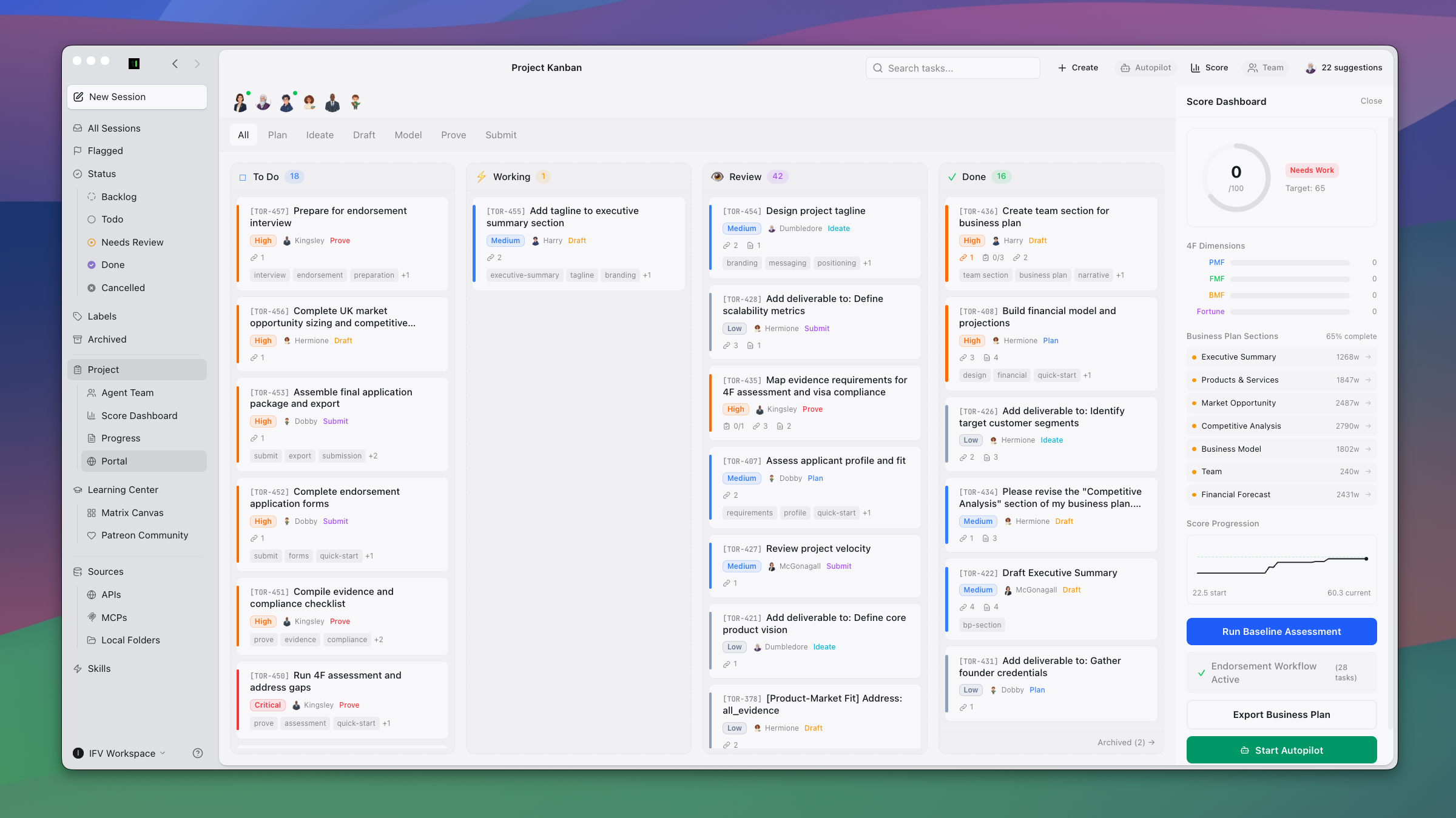
Kanban workspace
6-phase workflow with task dependencies
Innovatorly Matrix
4F scoring with gap analysis dashboard
Setup wizard
8-step guided onboarding experience
Autopilot mode
Autonomous multi-agent orchestration
Content pipeline
Living business plan assembly
6 LLM providers
Claude, OpenAI, Qwen, Copilot, OpenRouter, Ollama
Interview prep
Mock interviews with endorsement body Q&A
Privacy-first
Local data with AES-256 encryption
Getting started.
- 1
Download the .dmg file
Choose Apple Silicon for M1/M2/M3/M4 Macs, or Intel for older Macs
- 2
Open the downloaded file
Double-click the .dmg file to mount it
- 3
Drag TorlyAI to Applications
Drag the TorlyAI icon to your Applications folder
- 4
First launch
Right-click the app and select "Open" to bypass Gatekeeper on first launch
- 5
Complete the Setup Wizard
8-step guided onboarding — set your profile, meet your AI team, and start building
What’s new in 2.6.3.
- ChatGPT OAuth auto-refresh — no more "token expired" errors after 1 hour
- Claude OAuth 429 fix — proper client identifier prevents rate limiting on sign-in
- 1M context window — Opus 4.6 and Sonnet 4.6 now use full 1,000,000 token context
- Spawn ENOENT auto-recovery — sessions recover automatically after auto-update
- URL linkify fix — bold/italic URLs now render correctly in chat
- 7-day Autopilot trial for Premium subscribers