AI Security and Network Management · May 17, 2026
How to Resolve Torly.ai AI Service Activation Issues and Secure Your Visa Application Workflow
Get expert tips from Torly.ai on troubleshooting AI service activation to maintain seamless Innovator Founder Visa preparation.


Introduction: Keep Your AI Activation on Track with Torly.ai Troubleshooting
Getting stuck on an AI platform when you’re racing to prepare an Innovator Founder Visa application feels like hitting a roadblock at full speed. Activation errors can pop up out of the blue: a missing licence, a proxy hiccup, a firewall lockdown. You’re already juggling your business plan, compliance checks and document uploads—it’s the last thing you need.
This guide dives deep into Torly.ai troubleshooting methods that keep your AI agents running 24/7 and your visa workflow secure. You’ll discover quick fixes, preventative steps and security tips. Ready to regain control? Torly.ai troubleshooting: AI-Powered UK Innovator Visa Application Assistant
Quick Overview of Torly.ai and Common Activation Hurdles
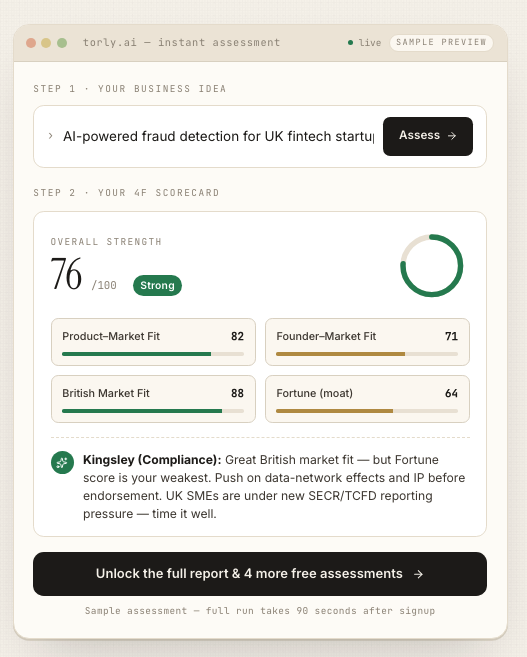
Torly.ai isn’t just another tool. It’s a next-generation AI agent that assesses your business idea, evaluates your entrepreneurial background and crafts a tailored roadmap for your UK Innovator Founder Visa. Instant multi-layered checks, gap analysis and continuous feedback—all in one platform.
Yet even the smartest systems can trip up. Here are the usual culprits:
- Licence key mismatches
- Firewall or proxy interference
- Outdated software versions
- Corrupted local caches
A swift round of Torly.ai troubleshooting can spot and clear these blockers in minutes.
Why Activation Matters
Activation is that handshake between your desktop app and Torly.ai’s secure servers. It delivers:
- Real-time business plan feedback
- Compliant document templates for endorsing bodies
- Continuous gap analysis and scoring
When activation fails, you lose all those benefits. Delays could mean missed visa deadlines.
Typical Activation Error Messages
Keep an eye out for prompts such as:
- “Activation timeout—cannot reach server”
- “Invalid or expired licence”
- “Network unreachable”
- “Service error: please contact support”
No sweat. Most of these are straightforward to resolve.
Step-by-Step Torly.ai Troubleshooting Guide
Follow these steps in sequence. They’re proven fixes from hundreds of entrepreneurs just like you.
1. Check Your Network and Firewall Settings
A blocked port often causes “activation timeout” errors. First:
- Confirm you can browse to https://torly.ai
- Allow outgoing connections on ports 443 and 80
- If you’re in a corporate network, ask IT to whitelist Torly.ai domains
Still no luck? Temporarily disable antivirus or firewall, retry activation and re-enable once you’re live.
2. Verify Your Licence Key and Account Status
Licence typos are surprisingly common. Do this:
- Copy and paste the key directly from your welcome email
- Ensure the key hasn’t expired (45 days validity)
- Log into your Torly.ai dashboard to confirm subscription status
If payment updates caused a reset, regenerate a fresh key from your account panel.
3. Manage Proxy and VPN Configurations
Proxies and VPNs can reroute or block requests. To rule them out:
- Disable VPN or proxy temporarily
- Test on an open network (mobile hotspot, for instance)
- If a proxy is essential, configure it under Torly.ai’s network settings
When open-network activation works, you know you have a proxy to tweak.
4. Update to the Latest Torly.ai Version
App versions must match server APIs. Here’s how:
- Open Torly.ai desktop app
- Navigate to Settings > About > Check for Updates
- Install, then restart the application
For a clean slate, you can always Download the TorlyAI Desktop APP to get the newest build.
5. Clear Local Cache and Restart Services
Cache files can corrupt and stall activation. To clear them:
- Exit Torly.ai fully
- Remove cache folders (Windows: %appdata%\Torly, Mac: ~/Library/Application Support/Torly)
- Relaunch and try activating again
If you use the Business Plan Builder, launch the BP Builder APP afterwards to refresh templates.
Securing Your Innovator Founder Visa Workflow
Fixing activation is just step one. Let’s safeguard your data and lock in a seamless visa journey.
End-to-End Data Protection
Your business idea is confidential. Torly.ai encrypts everything in transit and at rest—just remember to:
- Use strong, unique passwords
- Enable two-factor authentication
- Keep your OS firewall active
That zero-trust approach stops unauthorised access, even during activation hiccups.
Audit Logs and Compliance Checks
Built-in logs let you track every action:
- Who ran an AI agent and when
- Details of document generation
- All activation attempts and error codes
These logs are golden when you face EB endorsement reviews.
Integrating with Your Business Plan
Once activated, plug Torly.ai into your plan process:
- Generate tailored summaries with the TorlyAI BP Builder APP
- Run gap analysis in minutes rather than days
- Export endorsement-ready documents in PDF or Word
This tight integration means every plan section meets UK Home Office standards. Build your Business Plan NOW with TorlyAI BP Builder APP
Pro Tips to Avoid Future Activation Issues
Keep these best practices in your toolkit:
- Utilise 24/7 support agents
They monitor activation health and send alerts before you hit a snag. - Keep your business plan updated
Rerun gap analysis whenever rules change to avoid last-minute rewrites. - Schedule regular activation tests
Weekly checks stop issues from piling up. - Leverage offline mode
If you’re travelling, install the client ahead: Download BP Build Desktop APP. - Connect to trusted networks
Avoid public Wi-Fi; tether to your phone or use a secure VPN.
Conclusion: Smooth Sailing Ahead with Torly.ai
Activation errors don’t have to derail your Innovator Founder Visa ambitions. With this Torly.ai troubleshooting playbook you will:
- Clear roadblocks fast
- Secure your data end to end
- Keep your business plan workflow airtight
Don’t let a licence glitch slow you down. Embrace seamless AI support for every submission. Start Torly.ai troubleshooting: AI-Powered UK Innovator Visa Application Assistant